
When you’re presenting slides during an online lesson, there’s often a lot to keep track of: your presentation, your students, and everything happening on the whiteboard. Switching between them while still trying to keep the session interactive can be tricky.
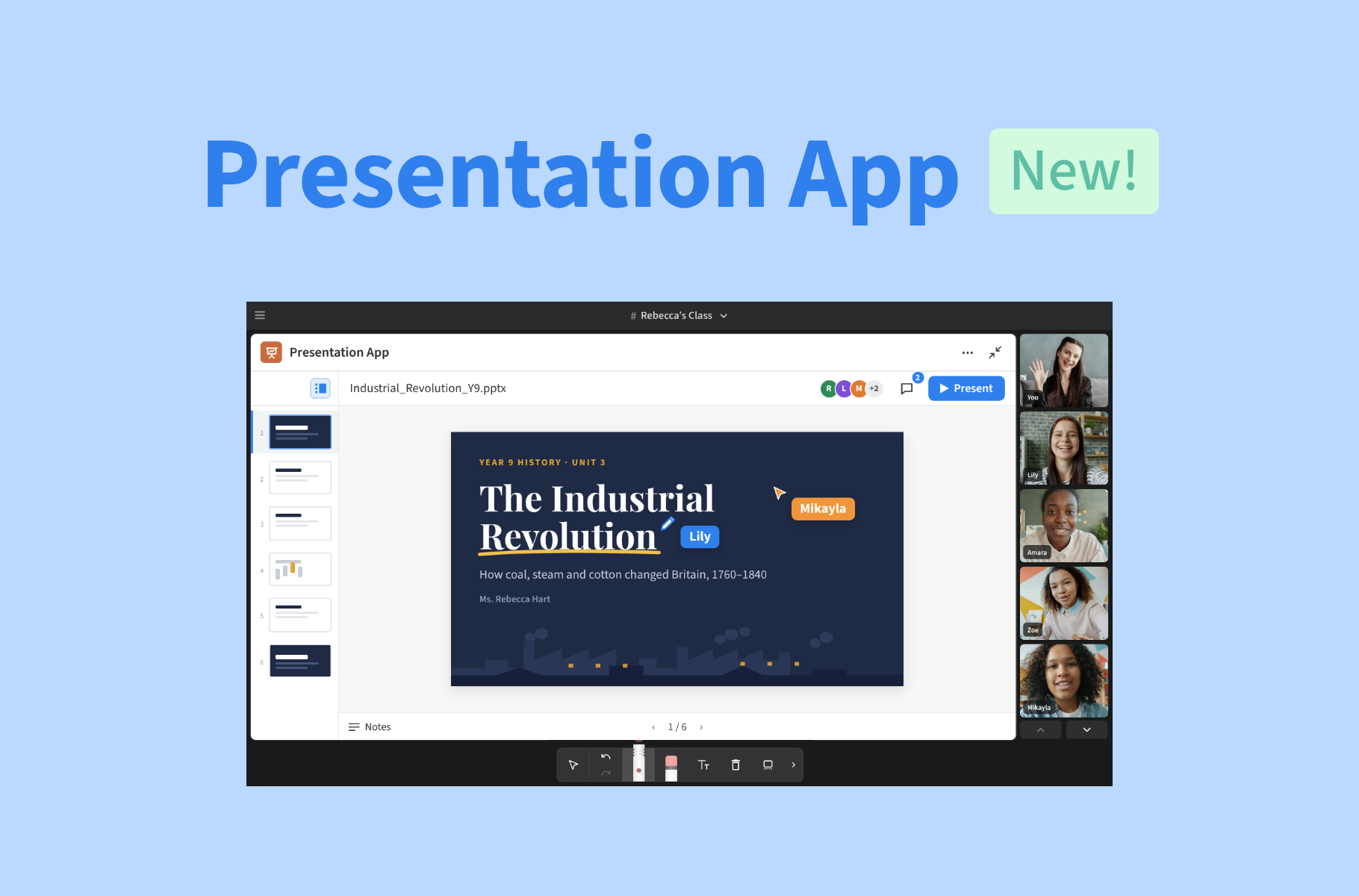
That’s why we’ve just launched our new Presentation App: a simple way to bring slideshows directly into your Space, present them to your students, and discuss individual slides together, with no screen-sharing or tab-switching necessary.
Put your slides front and center
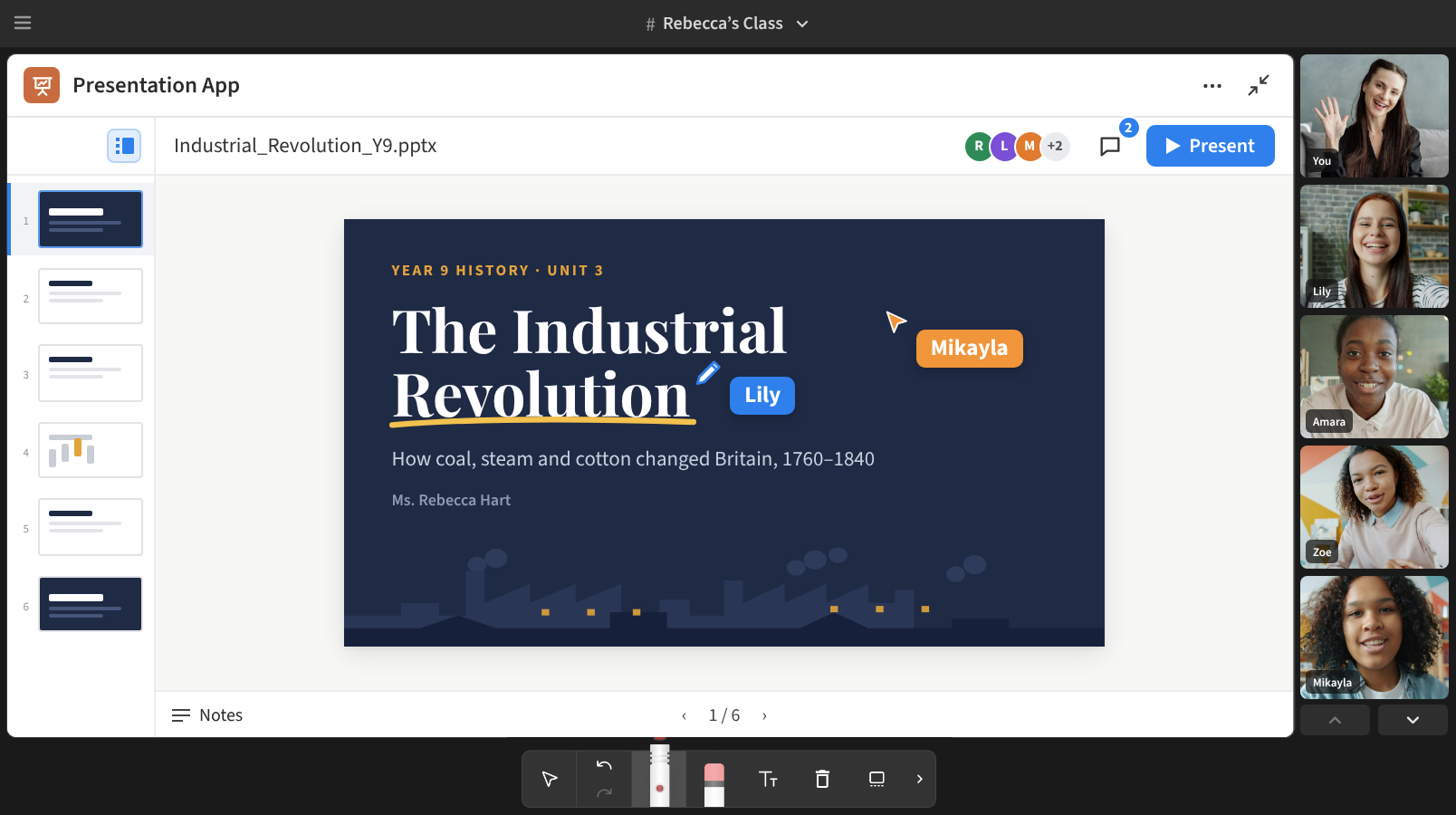
Use the Presentation App to upload your existing .pptx files and present them directly inside your Space to students.
Once uploaded, you can navigate through your different presentation slides as you normally would, without the need to screenshare or even leave your lesson Space. Select Present to put your slides front and center, ensuring you and your students have a clear view of the material you’re working through.
Have speaker notes in your slideshow? Those will stay private to you, too. You can access your notes while presenting, just as you would in PowerPoint.
The Presentation App is a great way to give more structure to your lesson, whether you’re presenting prepared materials, walking students through a visual explanation, or using slides to guide a discussion.
Turn your slides into a discussion board
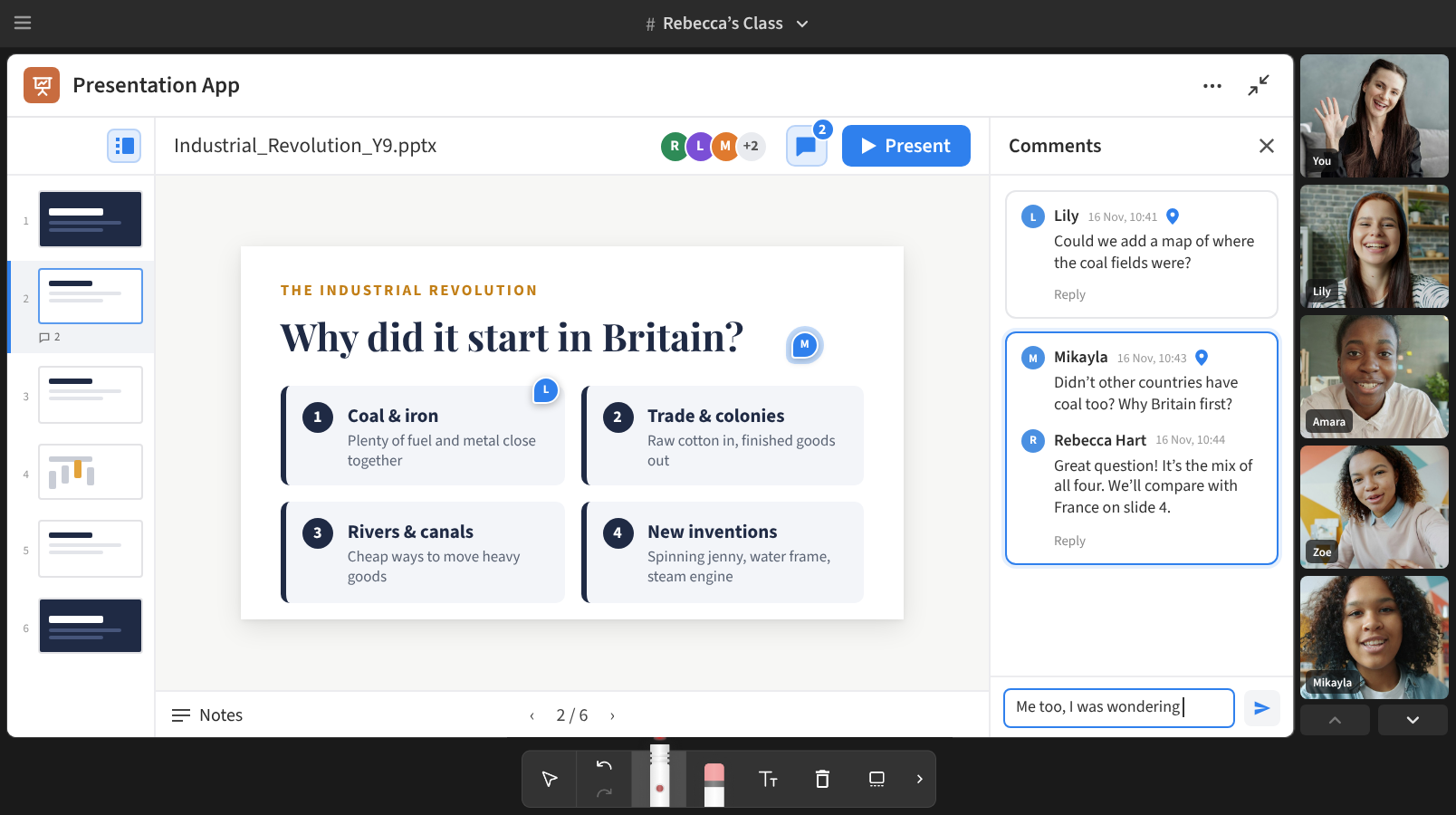
Slideshows can be so much more than just something students have to sit and watch. With the Presentation App, they’re also a great place to ask questions, share ideas, offer feedback, and work through new concepts together.
Use the Presentation App to add comments directly to individual slides. You might leave a question on a particular slide for your students to think about, or add a note about something you want to revisit later. Students can also reply to comments to keep the conversation going while staying connected to the slide you’re discussing.
Now, your presentations can become an interactive lesson segment, rather than a static series of slides to click through.
The new home for presentations in Pencil
The new Presentation App will be available from our Expert plans and onwards. And if you already regularly use the existing PowerPoint presentation app in Pencil, there’s one change to keep in mind: the Presentation App will be replacing it in the coming weeks.
PowerPoint will remain available for now, but we recommend getting familiar with the new Presentation App ahead of the change.
The Presentation App is available on Expert plans and onwards. If you often use slides in your lessons, give the Presentation App a try today, and see how it fits into your next session! For more information on how to present slideshows with the new Presentation App, read our guide in the Help Desk.