
Keeping track of everything happening across your online classrooms can take time. Having the information you need right at your fingertips makes all the difference, whether you’re looking for a past recording, reviewing a lesson, or simply monitoring your team’s activity.
That’s why we’ve just introduced Sessions view: a new and improved way to explore, manage, and review your lessons across Pencil Spaces. Available from the Sessions tab on your homepage, it brings your session history, recordings, analytics, and AI Coaching Insights together in one place.
Find all your sessions in one place
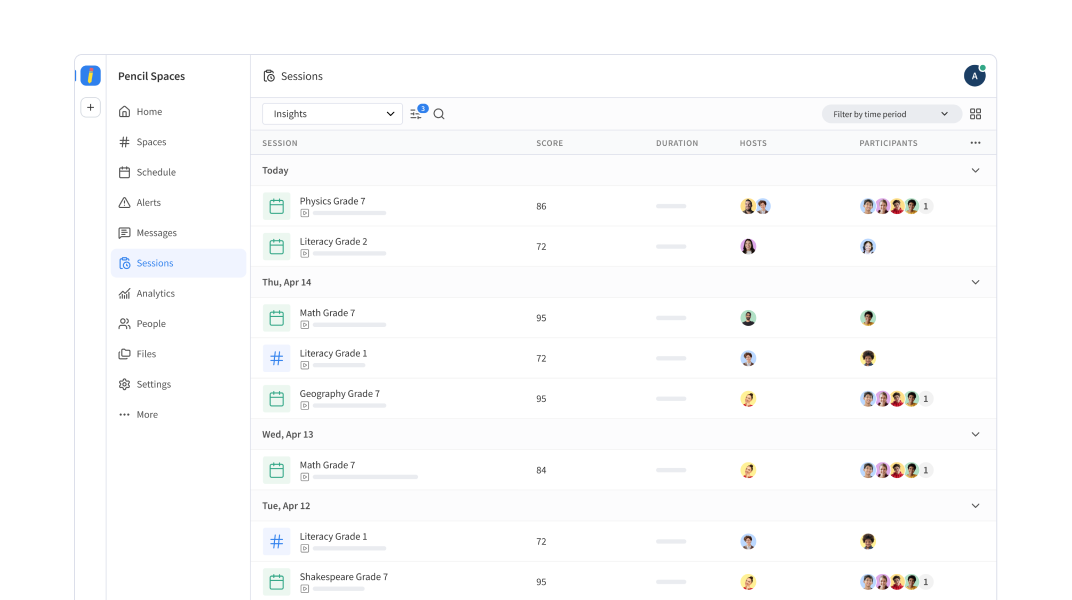
With the Sessions view, you can browse sessions across all the Spaces you have access to, making it easier for you to keep track of lessons and meetings.
You’ll find all your sessions organized chronologically. The dashboard gives you a quick overview of each one, including its duration, hosts, and participants. If you want to quickly find the exact session you’re looking for, you can also filter sessions by Space, attendee, or recording availability.
Your access to Sessions and their overviews depends on your role in Pencil Spaces:
- Tutors and students can view sessions from the Spaces they have access to.
- Site admins can view sessions across their sites.
- Institution admins can view sessions across their institution.
Get a closer look at every lesson
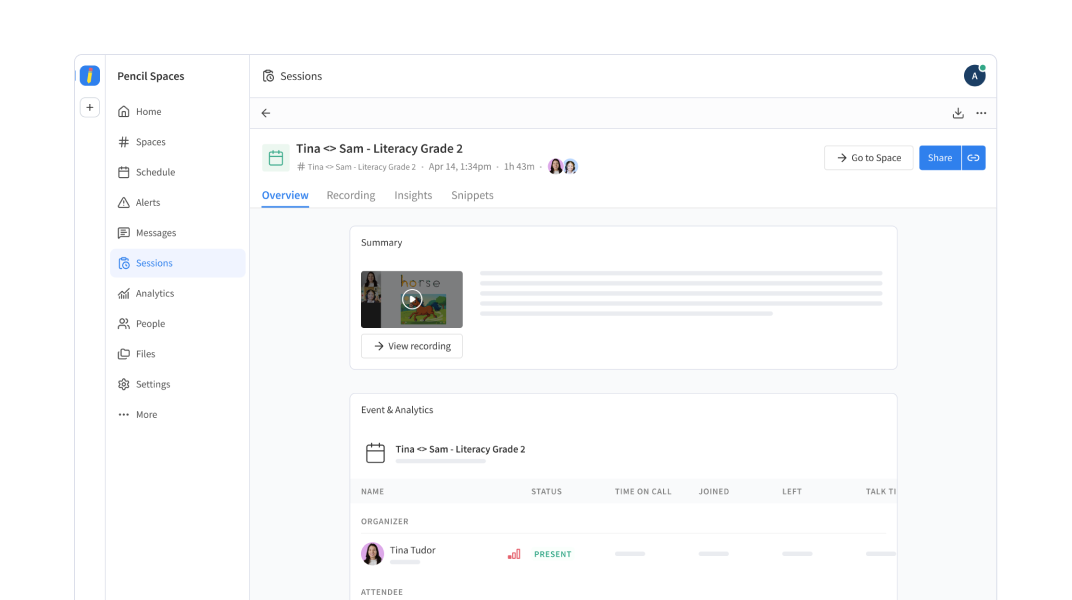
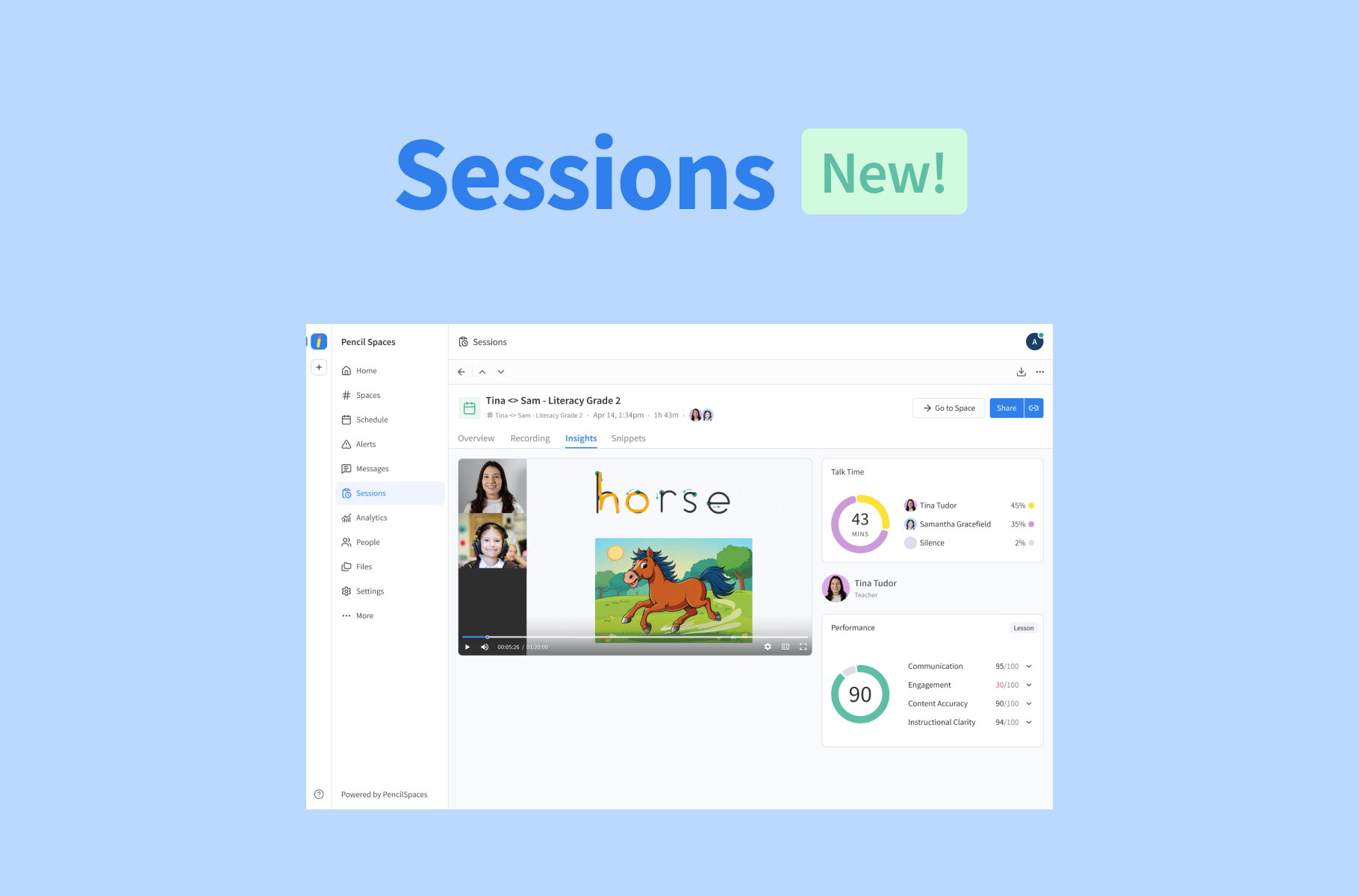
Select any session to open its dedicated details page, where you can browse its recordings, analytics, and AI Coaching Insights.
The analytics provide a detailed breakdown of participant activity, including:
- Time spent in the Space
- Time spent on calls
- Speaking time
- Microphone and camera usage
- Raised hands
- Reactions
Taken together, tutors can use these overviews to revisit lessons and reflect on participant engagement, while admins can get a detailed view of activity across their teams. You can also share sessions, manage access permissions, copy direct links, and download available recordings.
And if you’re an existing user, your recording history is coming with you! All your previous recordings will remain accessible through the new Sessions view.
A more complete view of your lessons
You’ll find Sessions in the navigation menu on your Pencil Spaces homepage. Simply select the tab to browse your sessions and explore the new experience.
We’ve also updated the sessions view within individual Spaces to use the same session details layout, so you can access the information you need no matter where you are in Pencil.
We hope this makes it easier to keep track of your sessions and get more out of every lesson. Happy exploring!
Want a closer look at your productivity inside Pencil Spaces? Test out your Sessions view today! For more detailed information on how to manage and view your sessions, read our guide in the Help Desk.