

By clicking “Accept”, you agree to the storing of cookies on your device to enhance site navigation, analyze site usage, and assist in our marketing efforts. View our Privacy Policy for more information, or manage your preferences.
Pencil Spaces / for / Learning & Development
In most meeting tools, one person teaches while everyone else watches. In Pencil Spaces, everyone learns by doing.
10M+ sessions in production
Claude · ChatGPT · Gemini in every room
1,000+ embedded tools
0 installs — one link
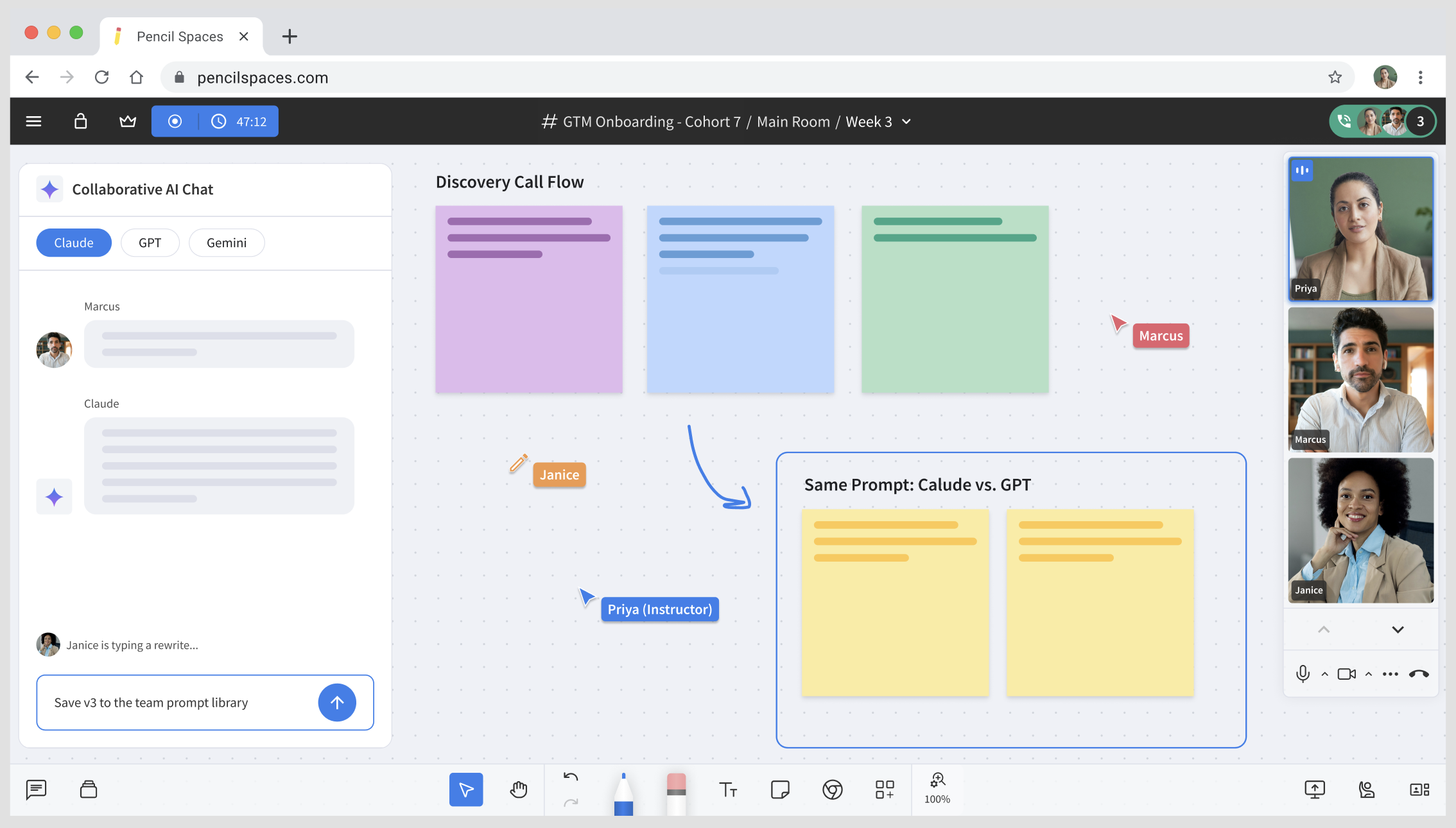
Twenty learners, twenty keyboards. The recording will capture all of it as one video.

The short answer
Pencil Spaces is a purpose-built virtual classroom with everything needed for learning and development built-in: a native whiteboard, software with shared control, collaborative AI chats, breakout rooms, and one composite recording for your LMS.
Practice is the session. The whole cohort works simultaneously, giving you more hands-on practice hours.
Real software, shared control. Collaborative virtual machines put the actual tools in the room.
Every AI engine, multiplayer. Claude, ChatGPT, and Gemini chats that the whole room can prompt together.
Saved work. A cohort's space accumulates work across the whole program, so you pick up where you left off every time.
One composite recording. Faces, board, and software in a single LMS-ready video.
Nothing to install. Browser-native, one-click joins, built to support SOC 2 & GDPR, with single sign-on.
Pencil Spaces makes AI multiplayer. The most popular AI tools can be prompted collaboratively in one place.
Pencil Spaces runs real AI applications on collaborative virtual machines. Your instructor builds in Lovable; your learner takes over the keyboard mid-flow; the cohort watches the same screen and the same thinking. Two keyboards, one app.
Lovable is one of many instruments in Pencil Spaces' built-in AI toolkit, each ready to open in the room and collaborative by default.
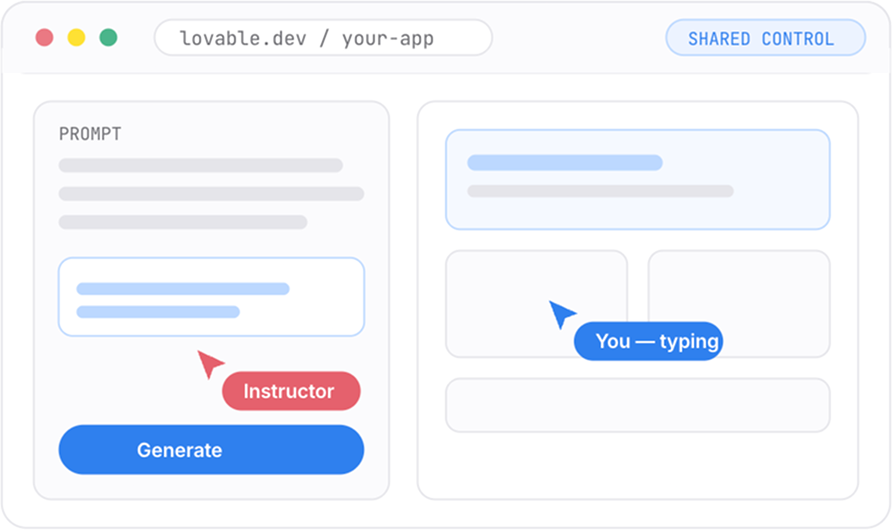
Running on a collaborative virtual machine inside the Space — two keyboards, one app.
Collaborative AI chats with Claude, ChatGPT, and Gemini that the whole cohort prompts together.
Run one prompt across engines and put the outputs side by side on the canvas, then mark up the differences on the board.
Draft on the board, run it live, critique the output as a group, and iterate. The winners go into a shared prompt library that persists in the Space.
Each Lab session ends as one composite recording, plus an AI summary of the chats, the comparisons, and the build.
One question separates the columns: can the room run the work?
Capability
General purpose
Purpose-built classroom
What it's built as

A meeting platform
excellent for conferencing
A classroom
built from scratch for teaching
Learners practicing at once

One presenter,
everyone else watches
All of them
~15× hands-on minutes per hour
Collaborative virtual machines
Not offered
Two keyboards, one app
real software, shared control
Built-in, collaborative AI chats (Claude / ChatGPT / Gemini)
Screen-share a chatbot
Every major engine
the whole room prompts together
Native collaborative whiteboard
Basic or bolted on
Native, real-time
in the recording too
Instructor tools, engagement metrics, & attendance tracking
Host controls only
Classroom-grade tools and analytics
built-in, not bolted on
Persistent rooms
Room disappears when the call ends
Work is saved between sessions
training accumulates across a program
Recording output
The call
One composite video
faces + board + software, LMS-ready
LMS integration

By link
Yes
by link, with LMS-ready recordings
"Meeting tool" describes general-purpose video meeting platforms as a category; capabilities vary by vendor and plan, per public documentation as of June 2026.
For pure conversations and broadcasts (e.g., syncs, 1:1s, all-hands, etc.), stick to your meeting tool. Pencil Spaces is for sessions where practice and learning are the goals.
Free to start · no credit card · learners join with one link · nothing for IT to install
Live sessions delivered.
Hands-on minutes per learner per hour.
Built-in tools and resources that embed live in the room.
Installs. Browser-native, so learners join with one click.
Run one session where all twenty learners have a keyboard. The recording will show your leadership what changed.









