LiveBoard offers digital whiteboarding tools for individual tutors. Pencil Spaces offers a sophisticated, purpose-built virtual classroom.
300M+ minutes taught
6 compliance frameworks
ワンクリックで参加、インストール不要
Last updated August 2026
For teams & schools
An all-in-one virtual classroom for tutoring companies, schools, and platforms running sessions at scale.
For solo tutors
A mobile whiteboarding tool aimed at individual tutors, focused on the drawing canvas and basic math tools.

一言で言えば
LiveBoard is a mobile whiteboard app built around the drawing canvas, with basic math tools and a free tier, aimed at individual tutors. Pencil Spaces is an all-in-one virtual classroom platform, built for tutoring companies and schools, with audited compliance and embeddable infrastructure.
A board, or a room. LiveBoard gives you a canvas; Pencil Spaces gives you meaningful teaching tools.
Performance. Long-time LiveBoard users report drawing-reliability problems.
AI built in. Pencil Spaces offers an in-session co-pilot and post-session coaching.
Proven at scale. More than 300 million minutes of live learning on Pencil Spaces; LiveBoard is at individual and SMB scale.
A board to write on, plus everything you need to host an engaging lesson. All in one place.
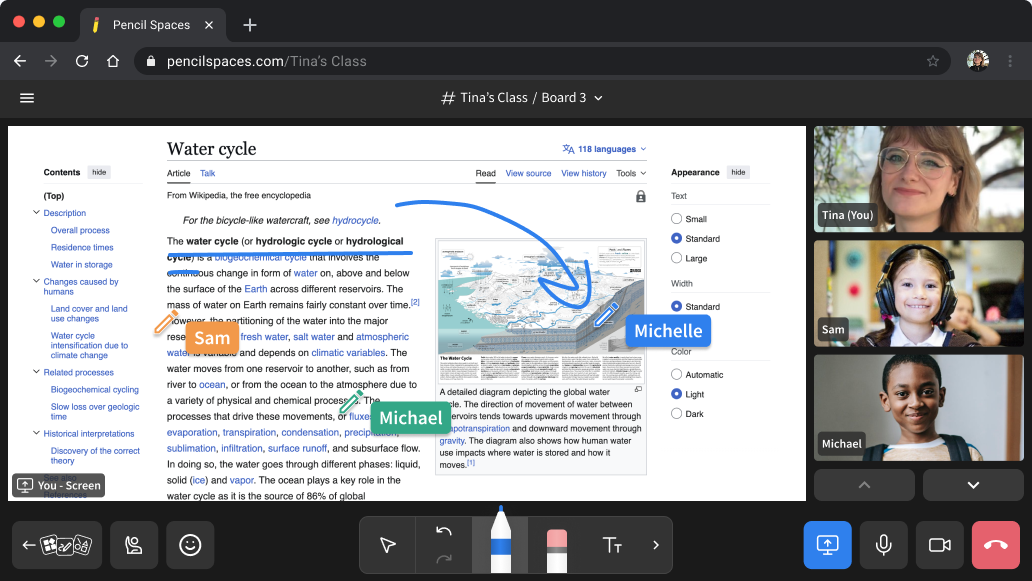
A board, plus much more. Whiteboard, documents, video, and teaching apps in one place, so you never need to switch tools.
Explore the live web together. Open a real website inside the room and browse it together as a class, no screen share needed.
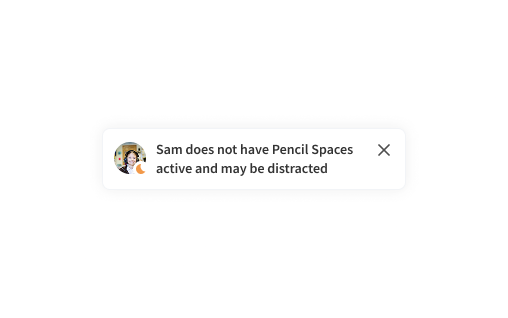
Automated assistance. An in-session co-pilot helps during the lesson, and every recording offers both coaching and a recap.
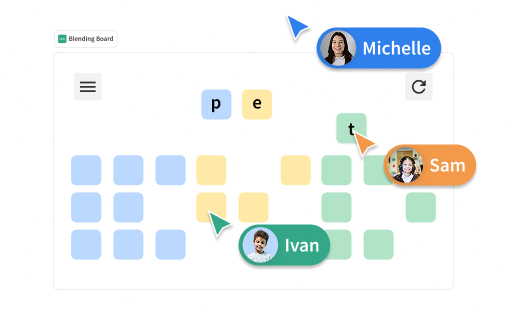
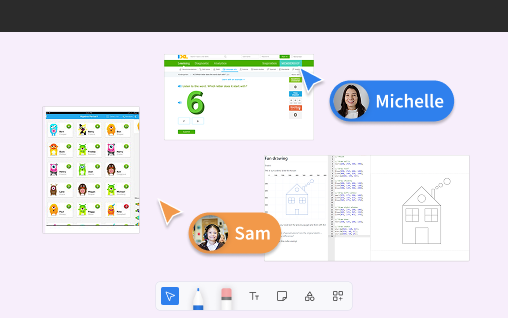
More than a board. Quizlet, IXL, a code editor, PDF annotation, and more open right on the canvas, with nothing to download.
Compliance you can count on. COPPA, FERPA, HIPAA, SOC 2, GDPR and ISO, plus safeguarding built for K-12 use.
The difference between what each platform was built to do, feature by feature.
機能
Built for teams
Built for solo tutors
The fundamentals
Was it built specifically for teaching?

Yes. A purpose-built virtual classroom.
Yes. A purpose-built teaching whiteboard.
How do students join a session?
One click in the browser. No download, install, or account.
One click by link or code, no sign-up.
What does it run on?
Any browser, on desktop, tablet, and mobile.
iOS, Android, and web.
The teaching surface
Whiteboard on a tablet with a stylus?
Yes. Stays responsive under classroom load.

Stylus input is supported, but the canvas draws reliability complaints.
Math and STEM tools?
Yes. Multiple built-in equation and graphing tools.
Yes. A LaTeX editor, a Desmos calculator, and a graph builder.
Does student work persist between lessons?
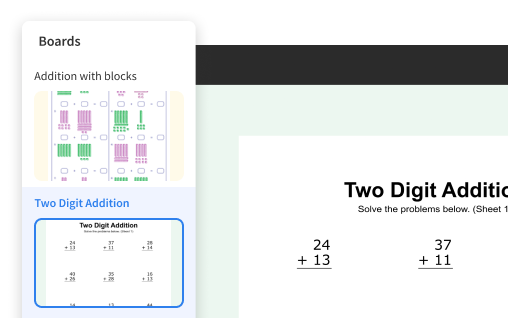
Yes. Boards, documents, and student work are saved between sessions.
Yes. Boards and group folders are saved.
Beyond the board
Is there built-in video?
Yes. On its own real-time infrastructure.
Yes. Built-in video, no time limit.
Co-browse the live web together?
Yes. A shared co-browser the class explores together.

Not offered.
Built-in teaching apps and content?
Yes. Quizlet, IXL, a code editor, PDF annotation, and a web viewer.
Image and PDF import plus live quizzes. No third-party app ecosystem.
AI co-pilot or post-session AI coaching?
Yes. In-session co-pilot, plus automatic post-session coaching and summaries.
None.
Insight into engagement?
Engagement analytics and private student focus signals.
A heuristic attention tracker.
Recording & content
Record and share lessons?
Yes. Cloud recordings and exports, including recording without the student on camera.
Yes. Record, share as video, and export boards to PDF and JPEG.
Trust, compliance & scale
Independent compliance certifications?
Yes. COPPA, FERPA, HIPAA, SOC 2, GDPR, and ISO.
Only COPPA and GDPR.
Proven at scale?
Yes. More than 300 million minutes of live learning, powering some of the largest tutoring platforms.
Individual and SMB scale (~160K monthly active users).
Embed classrooms in your own product?
Yes. Via API and SDK.
Standalone app with no embed API.
Business & operations
Built-in tutor billing, invoicing, and payments?
Pairs with a dedicated tutoring-management system for billing.
Yes, at the Organization tier. Calendar billing, invoicing, and payments.
White-label and branded classrooms?
はい。
Yes, at the Organization tier.
Comparison reflects publicly available LiveBoard documentation as of 2026, and is intended as a fair, factual comparison.
You are an independent tutor who only needs one simple tool.
You teach math or STEM one-on-one and want STEM-specific tools.
Your budget is the primary deciding factor, rather than a list of features.
You are a tutoring company, school, or district and need audited compliance.
You want post-session coaching, co-browsing, and built-in teaching apps.
You are scaling across many tutors and sessions and need reliability you can count on.
学習塾
Unlimited hosts and Space links, branded classrooms, recordings, AI, and built-in resources.
Schools & districts
COPPA, FERPA, HIPAA, SOC 2, GDPR and ISO, with K-12 safeguarding.
Platforms & marketplaces
Build live, branded sessions into your own product, on your own domain.
High-volume STEM programs
Countless STEM-specific apps and tools, joined by video, content, analytics, and AI coaching for every session.
Start free in your browser, with nothing to download. Your first lesson can be today.